
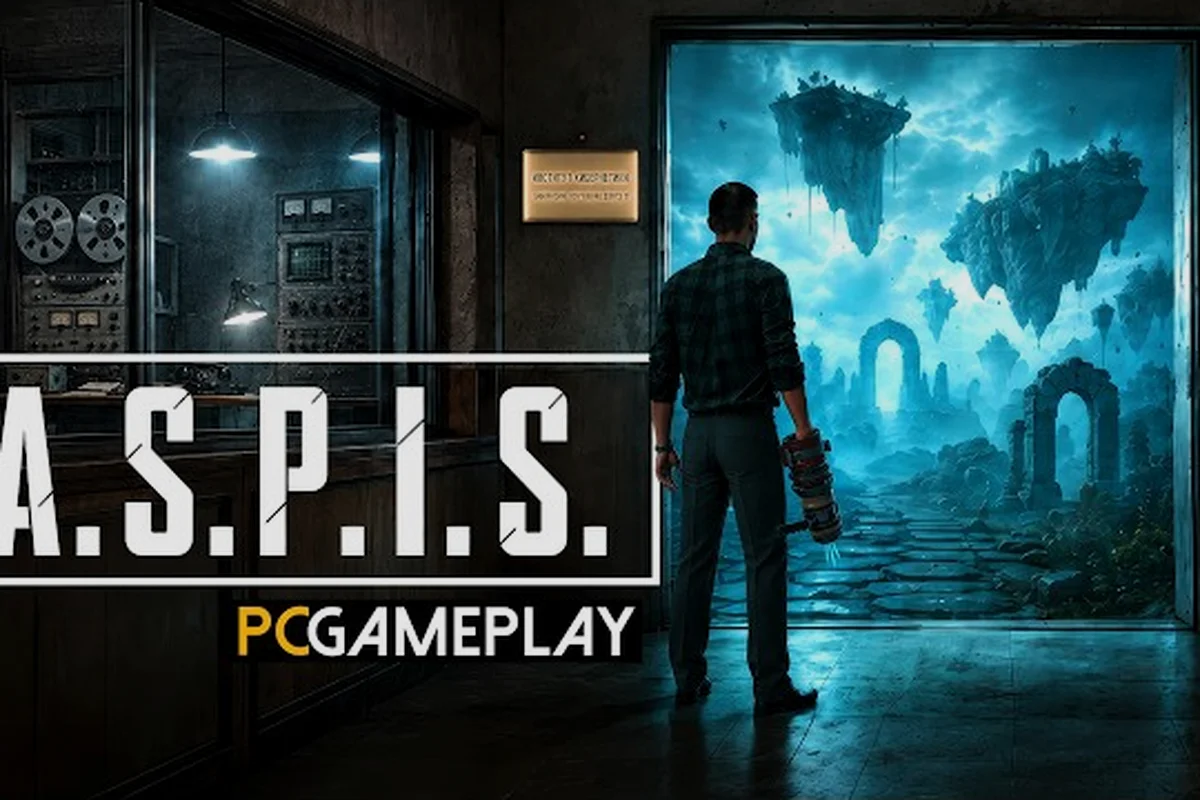
ASPIS explains very little about its own controls, so a tutorial has to be assembled from the official technical updates. Those announcements confirm a circular equipment menu, adjustable flashlight brightness, independent mouse-axis inversion, and X-sphere capture on a button press. This guide turns those documented changes into a first-run routine, and it flags the bindings the developer has never published.
ASPIS Tutorial Fundamentals for a Better First Run
An ASPIS tutorial helps you move, capture X-spheres, manage equipment, and confront the experiment without wasting important resources. This guide explains what official information confirms, what remains unclear, and how to prepare for the game's tense first-person exploration.
ASPIS Controls and Core Interaction Basics
ASPIS controls center on first-person movement, looking around, using equipment, interacting with objects, and capturing the X-spheres that appear in the environment. The official technical updates are especially useful because they confirm several interface changes: the flashlight brightness became adjustable, equipment selection uses a circular menu, and X-spheres are captured with a press rather than a hold.
That last distinction matters when the game is already presenting several threats or a complicated environment. A capture action that happens on press gives you more control over when you commit, while the equipment menu helps you avoid opening the wrong item at the wrong moment. Official material does not publish a complete keybind table, so treat the exact keyboard and mouse assignments as something to confirm in your own settings.
Essential ASPIS Controls Checklist
Start with the actions you can expect to use most often, then learn the less visible systems gradually. The following table distinguishes confirmed behavior from information that remains unspecified.
| Action | Confirmed information | Practical takeaway |
|---|---|---|
| Movement and looking | ASPIS is a first-person experience | Keep camera movement deliberate in dark or unfamiliar spaces |
| Equipment selection | A circular menu is used for equipment | Check the selected item before interacting |
| X-sphere capture | Press the capture button instead of holding it | Tap the action when the target is ready |
| Flashlight | Brightness can be adjusted | Use the available brightness range for visibility and atmosphere |
| Pause | Demo updates made pause actually pause the game | Use pause when you need to reassess the current situation |
| Keybind list | No official complete table is published | Verify controls in the game rather than relying on a guessed layout |
Use the Pause Menu as a Learning Tool
The confirmed pause behavior is useful beyond simply stopping the action. When you pause, you can check whether the correct tool is selected, whether the objective is still visible, and whether you are entering an interaction from a sensible position. This is especially helpful in a game where the environment can become disorienting and where a Guardian cannot simply be stopped with gunfire.
The pause feature was documented in updates to the earlier demo, so it is reasonable to expect that basic function to remain relevant in the full release. The official ASPIS on Steam page confirms the game's first-person framework, equipment-based survival elements, and the presence of a Guardian. It does not confirm a specific set of difficulty presets, so avoid assuming that a visible menu label exists until you see it in-game.
Equipment, Capture, and Inventory Decisions
The equipment system is central to survival because ASPIS places a Makarov pistol and melee combat alongside resources found in the environment. Ammunition is not presented as an unlimited resource; the official store description specifically says that ammunition and other resources are found while exploring. That makes the order in which you search an area meaningful, because every unnecessary confrontation may consume something you cannot replace immediately.
The store page also explains that a Guardian cannot simply be shot. This does not mean firearms are useless, because a Makarov pistol remains part of the advertised combat kit, but it does encourage a more cautious approach. The safest tactic is to learn which hazards can be avoided, which require the pistol, and which require you to step back and find another route.
No Official Damage Chart for Pistol or Melee
There is no official damage chart or numerical comparison between the Makarov pistol and melee combat. As a result, any ranking that claims one option is always superior would be misleading. The better comparison is based on the situation: firearms can create distance, while melee can avoid wasting ammunition, but neither should be treated as a guaranteed solution to the Guardian.
| Situation | Better first consideration | Why it matters |
|---|---|---|
| A distant visible threat | Makarov pistol | It gives you a way to engage from range |
| A close obstacle or fragile target | Melee option | It may conserve ammunition |
| A Guardian encounter | Route planning first | Official material says it cannot simply be shot |
| A resource-rich room | Search before fighting | Resources are found through exploration |
| A low-confidence area | Pause and reposition | The environment may conceal useful or dangerous objects |
Do not confuse a resource with a collectible system. Official material describes ammunition and other resources in the environment, but it does not publish a grid-based inventory, item tiers, recipes, shops, or a set number of collectibles. If a guide claims a fixed inventory layout or a complete list of rewards, treat that information as community interpretation rather than an official rule.
Capture Timing and X-Spheres
X-spheres are one of the clearest examples of why a small control change can affect play. The documented capture action is a press, not a hold, which means you can align the targeting action with the moment the sphere becomes available or gives you a clean line of approach. In practice, pause before committing if the surrounding area is busy, because a capture attempt can also place you in a vulnerable position.
A good capture routine has three parts: identify the X-sphere, create enough space around it, and press the capture control once the target is ready. If the action fails, return to a stable position rather than repeatedly pressing while enemies or unstable scenery occupy the area. The official updates do not explain a failure condition, so this is a practical control habit rather than a documented rule.
ASPIS Difficulty and Scary First-Person Survival
ASPIS difficulty requires careful wording because the official store page and launch announcements do not publish a list of difficulty options. The game is clearly tense: it takes place in the USSR in 1987, follows engineer Andrey, and places him inside a system where familiar laws may no longer apply. Those facts explain why the atmosphere feels threatening, but they do not prove the existence of named modes such as easy, normal, or hard.
If you are asking whether ASPIS is scary, the most accurate answer is yes for many players because the game combines first-person exploration, unsettling experimental premises, scarce-looking resources, and enemies that cannot always be solved through shooting. The store page identifies a Guardian that cannot simply be shot, and the official site describes ASPIS as a bridge to a place where the usual rules no longer hold. Those details create a strong sense of danger even before a jump scare appears.
What Makes the Horror Work
The horror is not built around one documented mechanic. Instead, it comes from a combination of setting, story, sound, limited information, and the feeling that an ordinary environment may become unsafe. The game follows Andrey after the loss of his wife, Anna, and centers on his daughter, Liza. The official site also says that none of the six volunteers woke up after a year, while time inside the experiment moved far faster than outside.
This creates a strong sense of isolation. Andrey is trying to understand what happened to the experiment, but the place itself does not behave like a normal facility. The Cat can help him read its rules, while the Director leads him deeper in the hope of finding answers. That combination of guidance and danger is more effective when the player has only limited information about the systems in front of them.
Scary Moments and Player Preparation
There is no official breakdown of jump scares, enemy behavior, or danger frequency, so no one can responsibly list every scary event in advance. A sensible preparation plan focuses on audio awareness, resource conservation, and clear escape routes. Keep the flashlight brightness at a level that helps you inspect an area without assuming brighter is always safer, because the surrounding environment may change how a space feels.
| Preparation | Reason it helps | Limitation |
|---|---|---|
| Carry a route out of a room | Prevents being trapped while investigating | The route may not remain clear |
| Listen before entering | Helps identify threats in first-person exploration | The game does not publish a complete sound-warning system |
| Preserve ammunition | Ammunition is found in the environment | No official amount or capacity is listed |
| Pause before interacting | Gives you time to check equipment and position | It does not reveal hidden hazards automatically |
| Learn the Guardian's limits | Avoids wasting shots on a threat that cannot simply be shot | The full behavior is not explained in official material |
For a broader discussion of the setting, start with the ASPIS horror overview. It can help you understand why the experience feels tense without spoiling specific story developments. More importantly, treat the unknown as part of the design rather than as missing on-screen task text or an unfinished system.
Autosave, Pause, and Save-System Expectations
ASPIS autosave is one of the most important terms to verify carefully because official material does not provide explicit autosave rules. The verified updates confirm that pause now actually pauses the game, and they document episode selection, but they do not state when progress is written, whether save slots are created, or whether every interaction creates a checkpoint. No official page gives a save frequency, save-slot count, or list of events that trigger an automatic save.
This matters because a first-person survival-horror experience can punish exploration. If you move through a dangerous area, change equipment, or enter an astral window, you may reasonably expect the game to preserve your progress. However, the launch information does not guarantee that each action is permanently recorded. Treat autosave as a convenience to observe, not as a promise that every irreversible choice can be reversed.
What Is Confirmed About Progress
The strongest confirmed facts are limited but practical. Pause can stop the simulation, the game supports choosing an episode to start from, and the full release contains one final choice leading to two endings according to the official store page. These facts point to meaningful progression, but they still do not reveal the exact save structure or whether a particular ending is recorded before the choice is finalized.
| Player question | Verified answer | Not currently published |
|---|---|---|
| Does the game pause correctly? | Yes, official demo updates improved this | The full menu layout may vary |
| Can players select an episode? | Yes, episode selection was documented | The number of episodes is not published |
| Does the game autosave? | Players commonly discuss autosave behavior | Official trigger timing is not documented |
| Are there save slots? | Not confirmed by official material | Slot count and overwrite rules are unspecified |
| Can progress be lost? | No official guarantee either way | Exact recovery behavior is unspecified |
| How do endings work? | One choice leads to two endings | Choice timing and autosave interaction are unspecified |
If you want a separate reference for the evidence surrounding saving, the ASPIS save-system overview separates published information from community reports. That distinction matters because reports can help you decide what to test, but they should not be presented as verified save rules.
A Safe First-Session Routine
Spend a short opening period confirming the game’s behavior rather than rushing toward the first major threat. Walk through a low-risk area, change equipment with the circular menu, use pause, and note whether a progress indicator appears. Then capture an X-sphere with a deliberate press and observe the resulting state. These small tests help you learn the interface without turning every early experiment into a serious resource loss.
After that, use a two-pass approach in dangerous rooms. On the first pass, look for resources, exits, and interactable objects without spending ammunition. On the second pass, act only after identifying a route back. This method is useful because the official material does not promise a map, quest marker, or fast travel system, so the player must build navigation awareness directly from the environment.
A Practical ASPIS Walkthrough for New Players
A structured run makes the beginning easier to learn because ASPIS combines several systems that can otherwise compete for attention. Start by establishing movement and look controls, then learn the equipment menu, then practice the X-sphere capture press, and only afterward enter more dangerous spaces. This sequence reduces confusion while preserving the game’s intended atmosphere.
The prologue is especially important. Official demo updates presented it as an extended introduction to the institute and the experiment before the full game. That means the opening area is not merely a menu or a disconnected tutorial. It is where the player learns the basic vocabulary of the story, including the PEP-01, Energy X, and the astral windows that connect different layers of reality.
Opening Sequence Priorities
Use the first stretch to understand the premise, not to rush toward every visible object. Andrey is an engineer dealing with an experimental system connected to six volunteers. The PEP-01 interacts with Energy X and opens astral windows, so the core interaction is presented as a relationship between equipment and the strange environment rather than as ordinary treasure hunting.
| Phase | Main objective | Resource caution |
|---|---|---|
| Learn movement and looking | Understand the first-person perspective | Avoid unnecessary sprinting or jumping |
| Check the equipment menu | Confirm which item is selected | Do not open the wrong tool by accident |
| Observe Energy X and PEP-01 | Learn how the central device is presented | Treat unfamiliar interactions carefully |
| Locate an X-sphere | Practice the press-based capture control | Capture one at a time |
| Continue the prologue | Learn the institute and experiment | Search for ammunition before combat |
The ASPIS complete guide is useful when you want a broader breakdown of the opening and early progression. In the meantime, keep the basic loop simple: observe, position yourself, select the right tool, interact once, and assess the result. That habit works whether you are exploring the demo or continuing into the full story.
Save, Search, Then Engage
A reliable habit is to search before engaging. Since the store page identifies ammunition and other resources as environmental finds, entering a room with a weapon ready does not mean the weapon is the best first choice. Check shelves, containers, corners, and routes before confronting a threat. This approach also reduces the chance of wasting a Makarov pistol shot on a Guardian that cannot simply be shot.
Next, use the circular equipment menu deliberately. Because the menu changes equipment, every switch costs a moment of attention. In a tense encounter, that moment can matter. Learn the rhythm of opening the menu, selecting the intended item, and closing it before you need to move or fight.
Finally, keep a mental record of the objective described on screen. The demo updates added visible task text, which suggests the game can present immediate instructions, but the official material does not provide a permanent quest-marker system. Read the text when it appears because the next objective may be communicated there rather than through a map icon.
ASPIS Tutorial Checklist Before the First Dread-Filled Session
A short pre-session checklist can prevent avoidable frustration. Verify that the game is paused correctly, learn the X-sphere capture press, check the equipment wheel, and adjust flashlight brightness. If mouse behavior feels wrong, test the axis settings in the game's own options. The official demo documentation confirms a maximum field of view of 120 degrees and separate X and Y mouse inversion, although the complete settings list for the full game is not published.
You can find additional setup help in the ASPIS controller and settings guide, particularly if you are not sure how to change mouse inversion or field of view. Be cautious with community workarounds, because only the documented features should be treated as guaranteed. The presence of a field-of-view setting does not establish that difficulty presets, detailed keybinds, or save customization exist.
| Check | Confirmed or cautious | Preparation |
|---|---|---|
| Pause | Confirmed to work in demo updates | Test it before entering a tense area |
| Episode selection | Confirmed in demo updates | Use it only as an official documented feature |
| Field of view | Up to 120 degrees in demo documentation | Adjust for comfort, not competitive advantage |
| Mouse inversion | Separate X and Y options in demo documentation | Test each axis in-game |
| Difficulty list | Not officially published | Do not assume named modes exist |
| Autosave timing | Not officially published | Record observed behavior in your own notes |
| Equipment list | Not officially published | Discover tools through play rather than invented tiers |
The most important preparation is accepting that some systems are intentionally unclear. ASPIS is about entering a place where familiar laws do not apply, and the tutorial should help you learn through observation. A clean opening, deliberate resource use, and awareness of what the official documentation actually confirms will make the experience more manageable without turning it into a checklist-driven puzzle.
Frequently Asked Questions
Does ASPIS have an autosave system?
ASPIS autosave behavior is discussed by players, but official launch material does not state exactly when progress is recorded, how many save slots exist, or whether every interaction creates a checkpoint. Pause and episode selection are confirmed features, so test those first and observe whether the game shows any progress indicator before relying on automatic saves.
What are the main ASPIS controls for beginners?
The important actions include first-person movement, looking around, opening the circular equipment menu, adjusting flashlight brightness, interacting with objects, and pressing the capture control for an X-sphere. Because no complete official keybind table is published, confirm the exact assignments in the game's settings rather than relying on an unverified layout from another player.
Is ASPIS scary, and what makes it frightening?
ASPIS is scary because it combines unsettling first-person exploration, an alternate-history Soviet setting, unsettling changes in time, and enemies that cannot always be handled through gunfire. The story also separates Andrey from the six volunteers and places him inside a system governed by unfamiliar rules, which creates tension through uncertainty as much as through visible threats.
Should I fight the Guardian with the Makarov pistol?
Do not assume that the Makarov pistol is a complete solution. Official material says the Guardian cannot simply be shot, so scouting, positioning, retreat routes, and environmental awareness are more dependable assumptions than forcing a confrontation. Preserve ammunition and look for another route whenever the encounter offers one.
Does ASPIS have selectable difficulty levels?
Official material does not publish a list of difficulty options, so the game may not use named difficulty presets at all. The confirmed settings documentation concerns field of view, mouse inversion, pause, and episode selection rather than difficulty. If difficulty controls appear in your build, their names and effects should be recorded as observed behavior rather than presented as an official setting list.